Digital Wellbeing for iOS

Be Intentional
With Your Screen Time

MindfulTime helps you understand your phone habits, set meaningful goals, and reclaim your focus — all without leaving your device.

Download on the App Store

Requires iOS 16.0 or later  ·  iPhone

A Look Inside MindfulTime

Your dashboard, goals, focus sessions, and progress — swipe through.

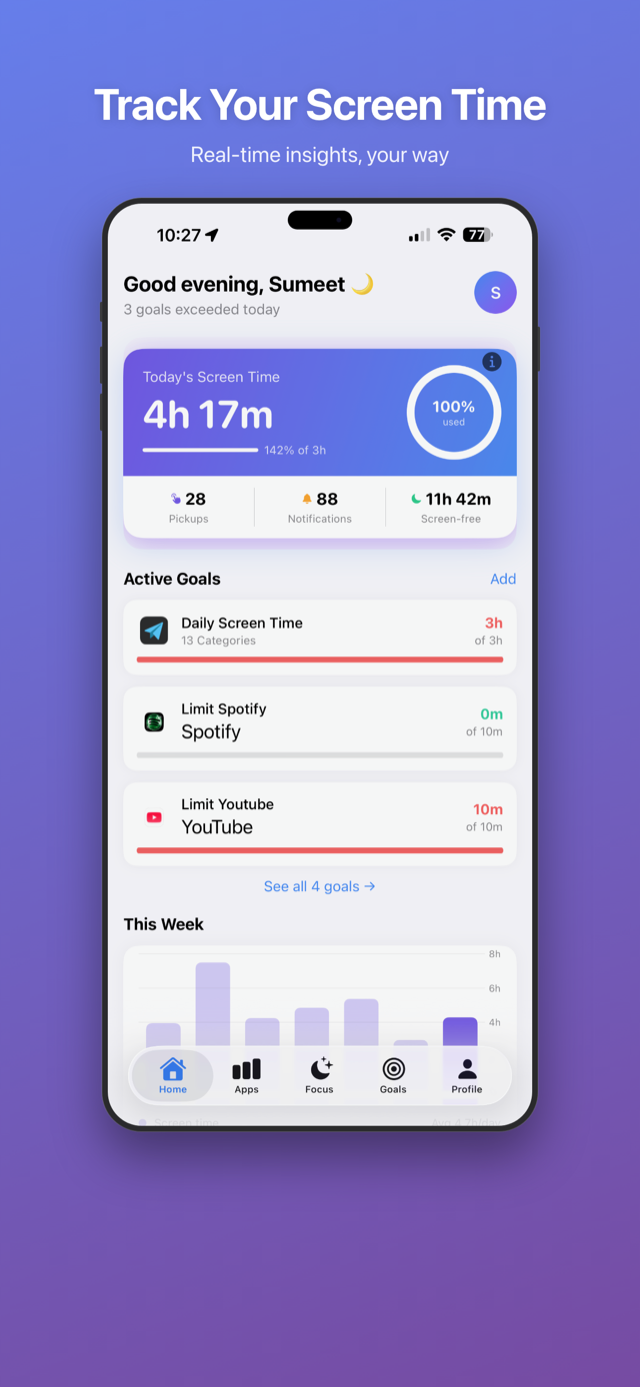
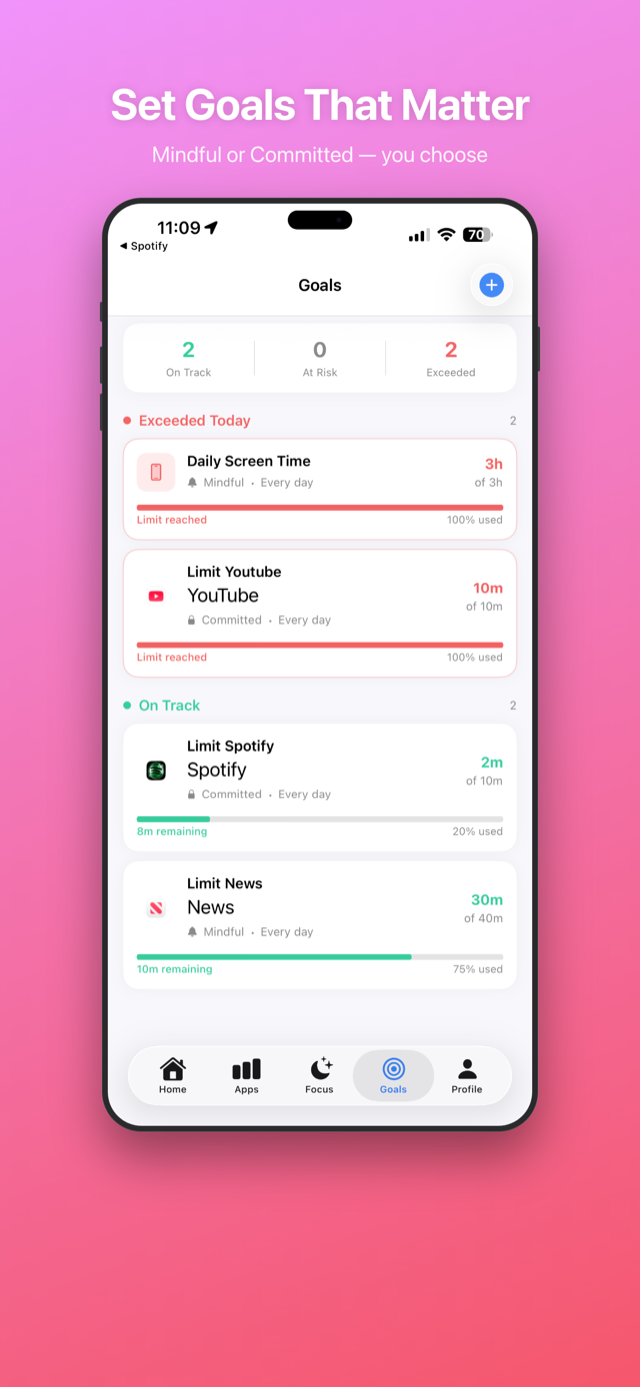
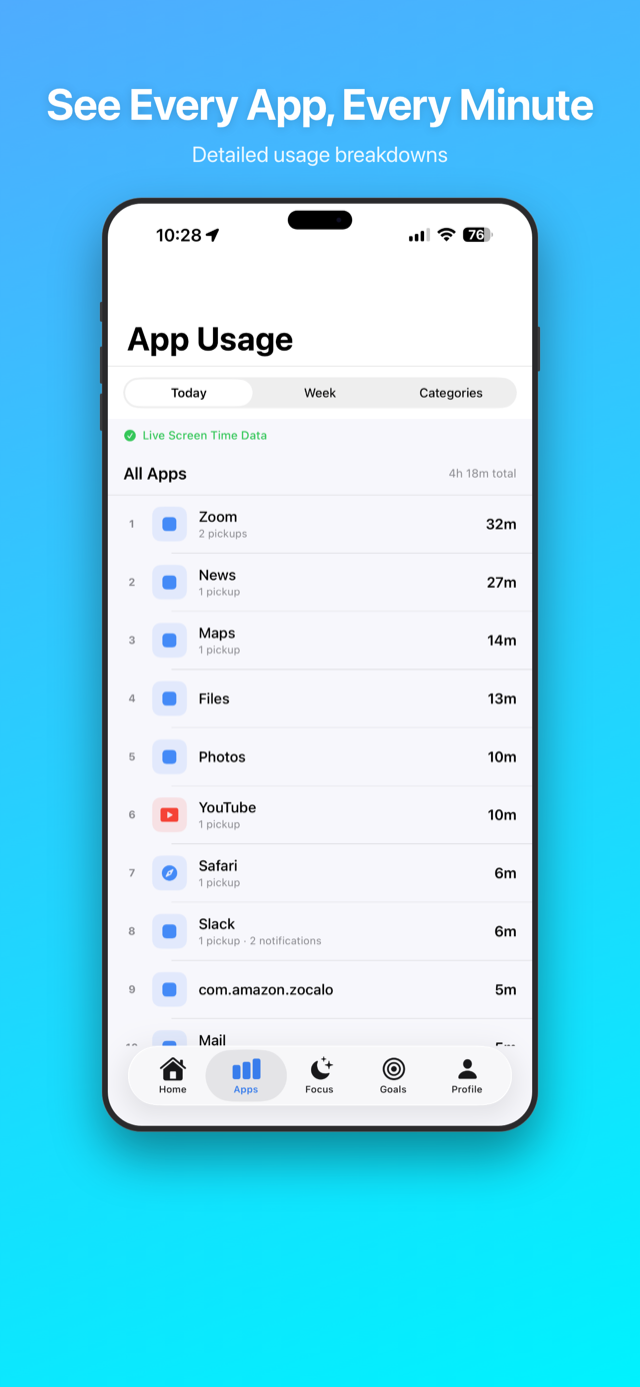
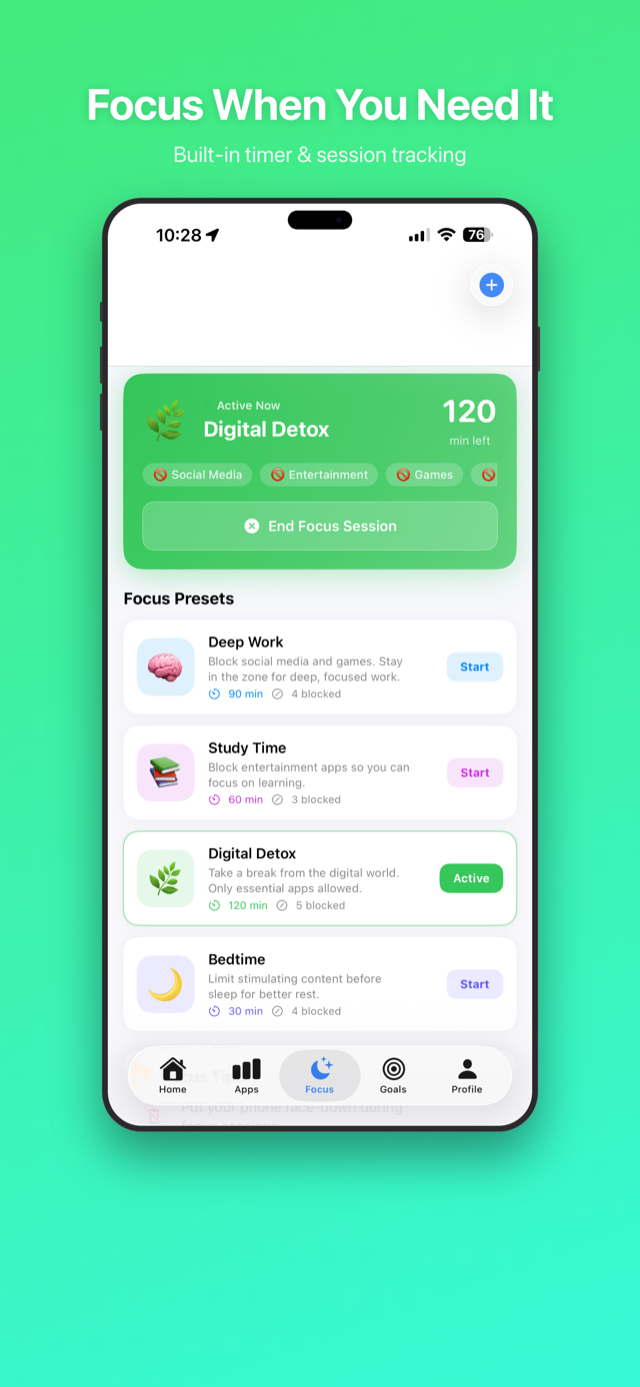
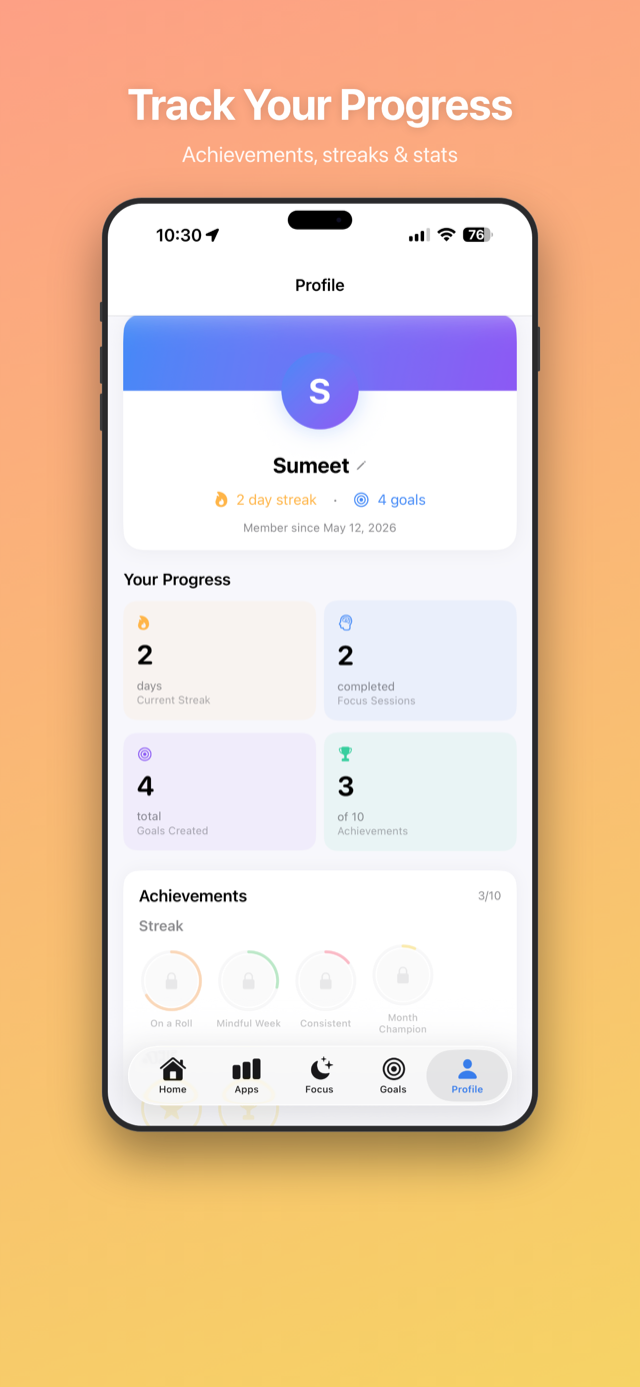
MindfulTime home dashboard with today's screen time and active goals Goals screen showing Mindful and Committed goals with progress App usage breakdown by app and category Focus mode with presets like Deep Work and Digital Detox Profile with streaks, stats, and achievements

Everything You Need to Use Your Phone Better

Built around Apple's Screen Time framework — your data never leaves your device.

📊

Usage Dashboard

See a clear breakdown of your daily and weekly screen time, top apps, pickups, and notifications at a glance.

🎯

App Time Goals

Set daily limits for specific apps. Get warned when you're approaching your limit and notified when you exceed it.

🌙

Focus Modes

Activate built-in sessions like Deep Work, Study Time, or Digital Detox. Distracting apps are shielded for the duration.

🔔

Smart Notifications

Timely reminders that help without nagging — morning check-ins, goal warnings, evening reviews, and snooze support.

🏆

Achievements

Track your streaks, completed focus sessions, and milestones. Progress across Consistency, Focus, and Mindfulness categories.

💨

Breathing Exercise

A built-in guided 4-2-4-2 breathing exercise to reset your focus whenever you need a moment of calm.

More Than a Screen Time Report

iOS Screen Time tells you how much you used. MindfulTime helps you do something about it.

MindfulTime iOS Screen Time
What counts as “screen time” You choose the apps & categories that matter — leave out calls & texts One all-inclusive total for everything
Weekday / weekend / evening schedules Built into every goal, in a couple of taps Possible, but takes extra steps
As you approach a limit Smart, encouraging nudges throughout the day Mostly silent until a hard cutoff
Goal modes Mindful (gentle accountability) or Committed (blocks apps) App limits only
Home screen Live dashboard: goal progress, pickups, screen-free time, trends A static weekly report
Staying motivated Daily streaks & achievement badges None
Privacy On-device, never collected or sold On-device

Simple, Private, On-Device

MindfulTime uses Apple's Family Controls framework — no account required, no data leaves your phone.

1

Grant Screen Time Access

On first launch, MindfulTime asks for Screen Time permission using Apple's Family Controls API. This is the only permission needed.

2

Set Your Goals

Choose which apps you want to limit and set a daily time budget. MindfulTime tracks your progress throughout the day.

3

Activate Focus When You Need It

Start a Focus Mode session to shield distracting apps using Managed Settings. No VPN, no MDM — it just works.

4

Review & Improve

Your home dashboard shows daily and weekly trends. Over time, you'll build habits that reduce mindless scrolling.

Questions, Answered

The things prospective users ask us most.

How is MindfulTime different from iOS Screen Time?
iOS Screen Time shows you how much you used; MindfulTime helps you change it. You set personalized goals around the apps that actually matter — not calls and texts — with flexible weekday, weekend, and evening schedules and smart nudges that keep you on track. Choose Mindful mode for gentle accountability or Committed mode to block apps when you mean business, and stay motivated with streaks and achievements along the way. (See the comparison above for a side-by-side.)
Is my data private?
Yes. Everything stays on your device. MindfulTime has no account, no servers, and no third-party analytics or tracking — your Screen Time data is never uploaded, shared, or sold. It's built entirely on Apple's on-device frameworks.
Does it cost anything? Are there ads?
No ads, no tracking, no subscriptions, and no in-app purchases.
Does MindfulTime block apps?
Only if you want it to. Set a goal to Committed mode and the apps you choose are restricted once you hit your limit. You can also start a Focus Mode session — like Deep Work or Digital Detox — to shield distracting apps for its duration. Blocking uses Apple's Managed Settings (no VPN, no MDM). Prefer awareness over restriction? Use Mindful mode and nothing is blocked.
What do I need to use it?
An iPhone running iOS 16 or later, and Screen Time permission — granted on first launch via Apple's Family Controls. No account or sign-up required.
Does it replace iOS Screen Time?
No — it complements it. MindfulTime is built on Apple's Screen Time framework and layers personalized goals, schedules, nudges, and motivation on top. You can keep using Apple's built-in limits alongside it.

Support

Have a question, found a bug, or want to share feedback? We'd love to hear from you.

Contact Us

mindfultime.feedback@gmail.com

Privacy Policy

Last updated: March 2026

MindfulTime ("the app", "we", "our") is committed to protecting your privacy. This policy explains what data the app accesses, how it is used, and how it is protected.

1. Data We Access

MindfulTime requests access to Screen Time data via Apple's Family Controls framework. This includes:

2. How Data Is Used

Screen Time data is used exclusively to:

3. Data Storage

All data is stored locally on your device using Apple's on-device APIs (UserDefaults, App Groups, and DeviceActivity). No usage data, personal information, or analytics are transmitted to any external server. MindfulTime has no backend, no user accounts, and no cloud storage.

4. Data Sharing

We do not share, sell, or transmit any data to third parties. Your Screen Time data is never sent outside your device.

5. Third-Party Services

MindfulTime does not use any third-party analytics, advertising SDKs, or tracking libraries. The app has no in-app purchases, ads, or subscriptions.

6. Children's Privacy

MindfulTime is intended for personal use by individuals aged 13 and older. The app does not knowingly collect data from children under 13.

7. Your Control

You can revoke Screen Time access at any time via Settings → Screen Time on your iPhone. You can also reset all app data from the Profile tab within the app, which clears all locally stored goals, focus modes, and preferences.

8. Changes to This Policy

If this privacy policy changes, the updated version will be posted on this page with a revised date. Continued use of the app after changes constitutes acceptance of the updated policy.

9. Contact

If you have any questions about this privacy policy, please contact us at:
mindfultime.feedback@gmail.com